What “automated” really means
In a budget template, “automated” often means that formulas calculate results from what you’ve entered. To know what you’re buying, ask what starts the calculation.
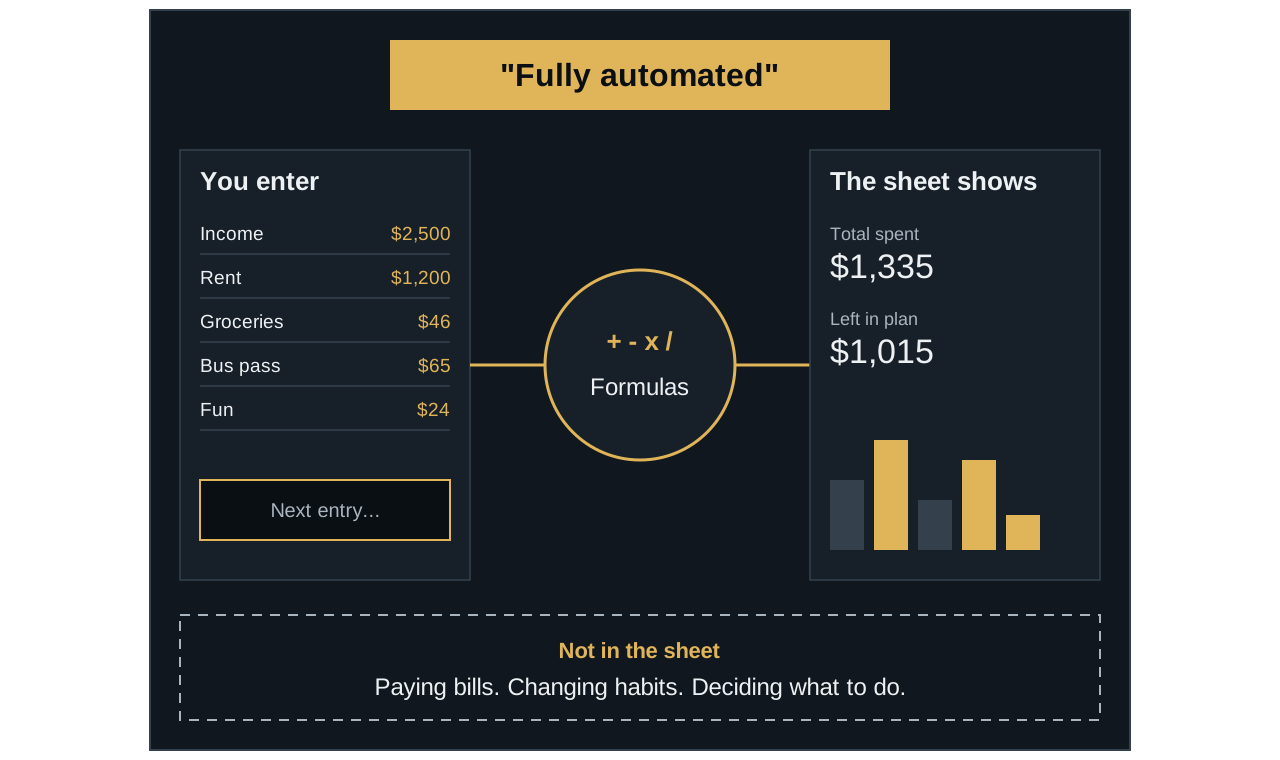
1 of 5
A big promise
“Automated” can sound as though the sheet runs your budget. So look at what actually happens on its own.
2 of 5
It starts with you
Someone has to put the numbers in. In a typical template, that someone is you.
3 of 5
Then the formulas work
They add, subtract, and compare as soon as a number changes. This part really is automatic.
4 of 5
You see the results
Totals, remaining amounts, charts, and warning colors update without extra work.
5 of 5
Some things stay outside
A sheet can’t pay your bills, change your habits, or decide what to do next.
Ask what starts the calculation.
If the answer is you, plan time to enter your numbers.
What a template can automate
| Part of budgeting | A typical template | Your part |
|---|---|---|
| Totals and balances | Calculates them | Enter accurate numbers |
| Charts and dashboards | Update from your entries | Keep entries current |
| Overspending warnings | Can change a number or color in the sheet | Open the sheet and act on it |
| Recording spending | Provides a place to enter it | Add each item |
| Choosing categories | Often offers a dropdown menu | Choose the right one |
| Paying bills | May list due dates you’ve entered | Make the payments |
| Budget decisions | Shows the numbers | Decide what to do |
Some products do more than this, so treat the table as a starting point and read the details of the template you’re considering.
Questions to answer before you buy
- How does spending get into the sheet? If the listing doesn’t say, ask the seller directly.
- Which program does it work in? Some templates work only in Google Sheets, and others are built for Excel. Check the version you have, including on your phone. Compare Excel and Google Sheets.
- What do you actually receive? Some downloads are a PDF containing links to the real template.
- Can you change the categories? Your life may not fit the default list.
- How do you start a new month or year? Check whether it covers one month, one year, or continues over time.
- Does it match your way of budgeting? A template built around one method can feel awkward if you prefer another.
- Is there help if something breaks? Look for written or video instructions, and find out how to contact the seller.
Read the verbs
Listings often reveal the work in their verbs. If you see “log”, “enter”, “input”, or “fill in”, that step is yours. Words such as “calculates”, “updates”, and “shows” usually describe what the formulas do next.