Your first month with a budget template
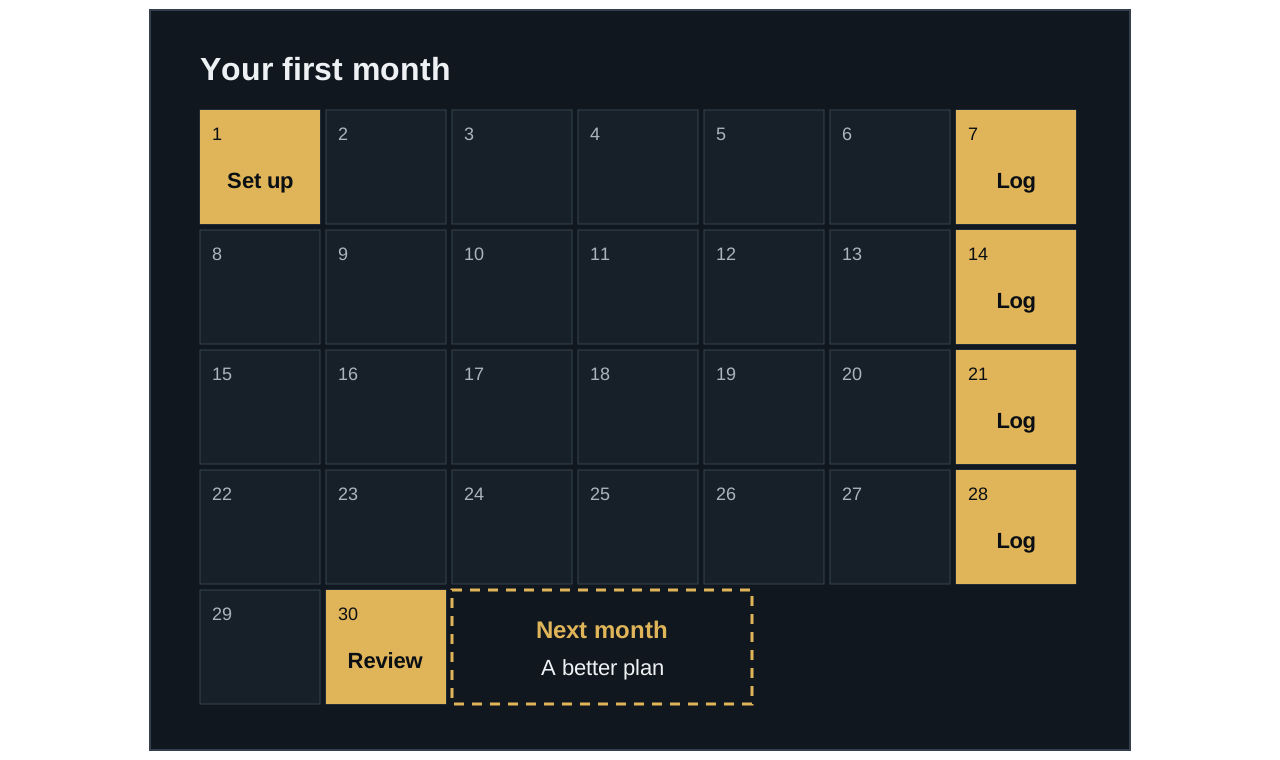
Your first month is for learning what’s true, so don’t expect a perfect plan. Layouts vary, but this is a common routine for a spending-tracker template.
1 of 4
Day one: set up
Keep a clean copy, read the instructions, and make a first plan. Guesses are fine at this stage.
2 of 4
Each week: catch up
Pick a regular time to add your spending. This example uses once a week, but use whatever you’ll keep doing.
3 of 4
Month end: review
Check for anything you missed, then look at where plan and reality were furthest apart.
4 of 4
Next month: adjust
Use what you learned to make a more realistic plan. This is where a budget starts to fit your life.
Month one is for learning.
You don’t need a perfect plan. You need an honest record to improve it.
Before you start
- Read the template’s instructions. Many include a start-here tab.
- Keep an untouched copy. If you overwrite a formula, you’ll have a clean version to go back to.
- Enter only where you’re meant to. Typing over a calculated cell can break its results.
- Gather what you know. You’ll want your take-home pay, regular bills, and their due dates.
Set up your plan
Start with fewer categories than you think you need, because you can split them later. Here’s an example with made-up numbers and a take-home income of $2,500.
| Category | Plan |
|---|---|
| Rent | $1,200 |
| Groceries | $500 |
| Transport | $200 |
| Fun | $150 |
| Savings | $300 |
| Total planned | $2,350 |
That leaves $150 unplanned. If some of your numbers are guesses, that’s fine. The first month will help you correct them.
During the month
Pick a regular time to add your spending, even if it’s only once a week. Each entry usually needs a date, a short description, an amount, and a category.
| Date | What | Category | Amount |
|---|---|---|---|
| Jun 3 | Supermarket | Groceries | $118 |
| Jun 5 | Bus pass | Transport | $65 |
| Jun 6 | Supermarket | Groceries | $46 |
After those entries, a typical sheet would show Groceries at $164 spent with $336 left, and Transport at $65 spent with $135 left.
At the end of the month
- Check for anything you missed. Compare your entries with your receipts or banking app.
- Look for the biggest gaps. Where were plan and reality furthest apart?
- Ask why. A one-time expense needs a different response than a plan that was simply unrealistic.
- Adjust next month’s plan. Then start the month using the template’s instructions.
Being over budget in your first month doesn’t mean it failed. It means you now have better information. If something in the sheet looks wrong, see common sticking points.