Common sticking points
Real money doesn’t always fit neatly into rows. Templates differ, so check your template’s instructions first. These are common ways to handle what comes up.
1 of 5
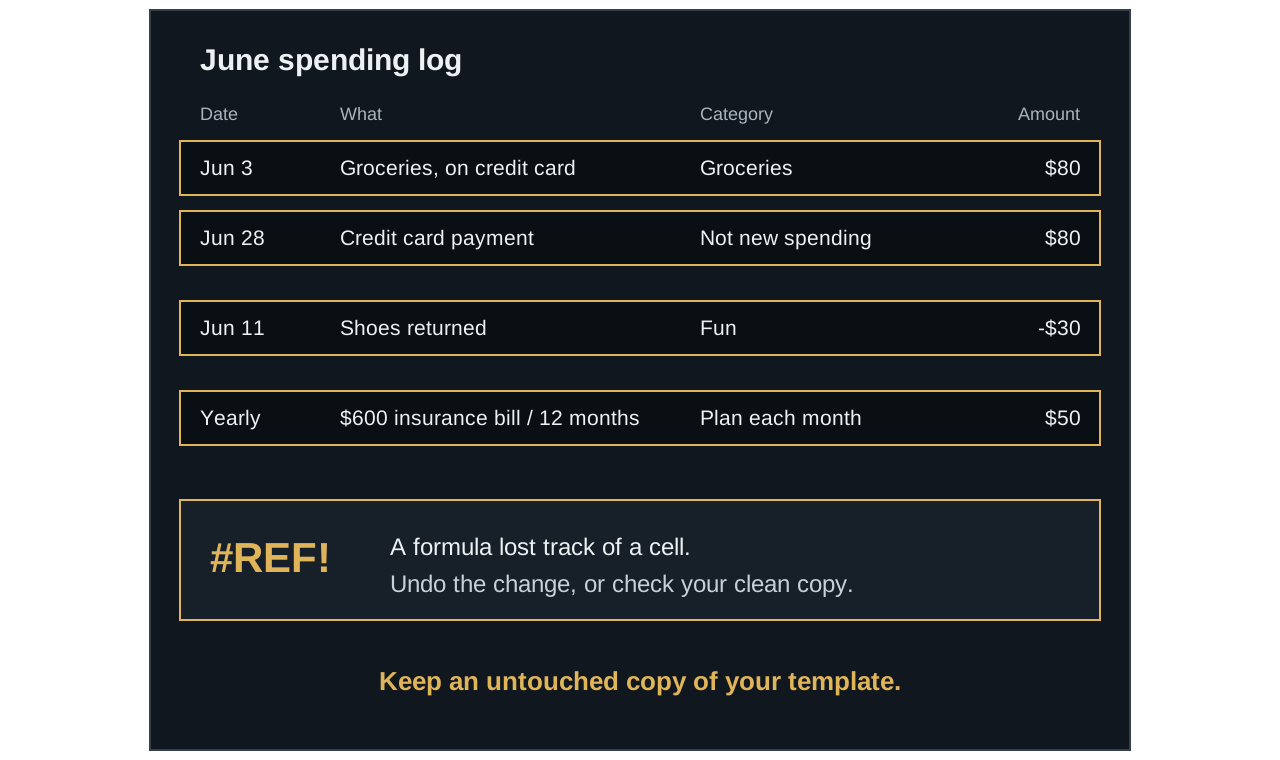
Don’t count it twice
If you record a card purchase when it happens, the later payment isn’t new spending.
2 of 5
Refunds can reduce spending
If your template accepts negatives, a $30 refund in the original category lowers its total by $30.
3 of 5
Spread out big bills
A made-up $600 yearly bill works out to $50 a month when you plan for it over 12 months.
4 of 5
Errors can be fixed
A code like #REF! means a formula has hit a problem. It doesn’t mean your budget is ruined.
5 of 5
Keep a clean copy
An untouched copy gives you something to compare with when a formula gets overwritten.
A snag rarely means starting over.
Most of these have a simple fix, and an imperfect record is still useful.
When your money is tricky
Credit card purchases
Pick one approach and keep to it. Many budgeters record each purchase when it happens. For example, enter $80 of groceries on the day you buy them. If you do that, don’t count the later card payment as new spending, or it would be counted twice.
Refunds and returns
See whether your template accepts a negative amount in the original category. A $30 refund entered that way would reduce the category’s spending by $30. If it doesn’t accept negatives, reduce the original entry or follow its instructions.
Moving money between your own accounts
A transfer usually isn’t spending, so don’t record it as an expense. If it’s going into savings and your plan has a savings category, record it there.
Bills that come once or twice a year
Divide the cost by the number of months until it’s due, and plan that amount each month. A $600 yearly bill works out to $50 a month. Your template may call this a sinking fund.
Income that changes from month to month
One common approach is to plan around a lower, more cautious figure. If recent months ranged from $2,200 to $3,000, you might plan around $2,200, and then decide where any extra goes when it arrives.
Cash withdrawals
You can record cash purchases as you make them, which gives more detail. Or you can record the whole withdrawal in a category such as “Cash”, which is simpler. Choose whichever you’ll keep up.
Starting partway through a month
You can start from today and treat the rest of the month as practice. Your first full month will give you a more complete picture.
When the sheet looks wrong
Excel and Google Sheets use many of the same error codes. An error usually means a formula has hit a problem, and it doesn’t mean your budget is ruined. These descriptions are based on Microsoft’s guide to formula errors.
| You see | What it means | What to try first |
|---|---|---|
| ##### | Usually, the column is too narrow to show the value | Widen the column |
| #REF! | A formula points to a cell that isn’t valid, often after a deletion | Undo the recent change, or go back to a clean copy |
| #VALUE! | A formula is mixing different kinds of data, such as text in math | Check for amounts entered with letters or stray characters |
| #N/A | A value the formula needs isn’t available, often because a lookup found no match | Check that the category matches the list exactly |
| #NAME? | The program doesn’t recognize text in a formula | Check that your program supports the template |
| #DIV/0! | A formula is dividing by zero or an empty cell | See if it clears once the missing number is entered |
If the totals look wrong but there’s no error, check these common causes:
- The category doesn’t match. A misspelling or a hand-typed variation may not be counted.
- The date is in the wrong month. A typo can send an entry to another period.
- The amount was stored as text. It may look like a number without being counted as one.
- The entry is outside the formula’s range. Rows added beyond the intended area may not be included.
- A formula was overwritten. Compare the cell with the same cell in your clean copy.
This is why keeping an untouched copy of your template matters. If you can’t find the problem, check the seller’s instructions or support options before you rebuild anything.